PDF Dark Mode in Firefox: How to Read Comfortably
Firefox has a solid built-in PDF viewer, but it does not include a dark mode option. Even if you have Firefox set to a dark theme, PDFs still show up with their original bright white background. Here is how to fix that.
The quick solution: convert your PDF
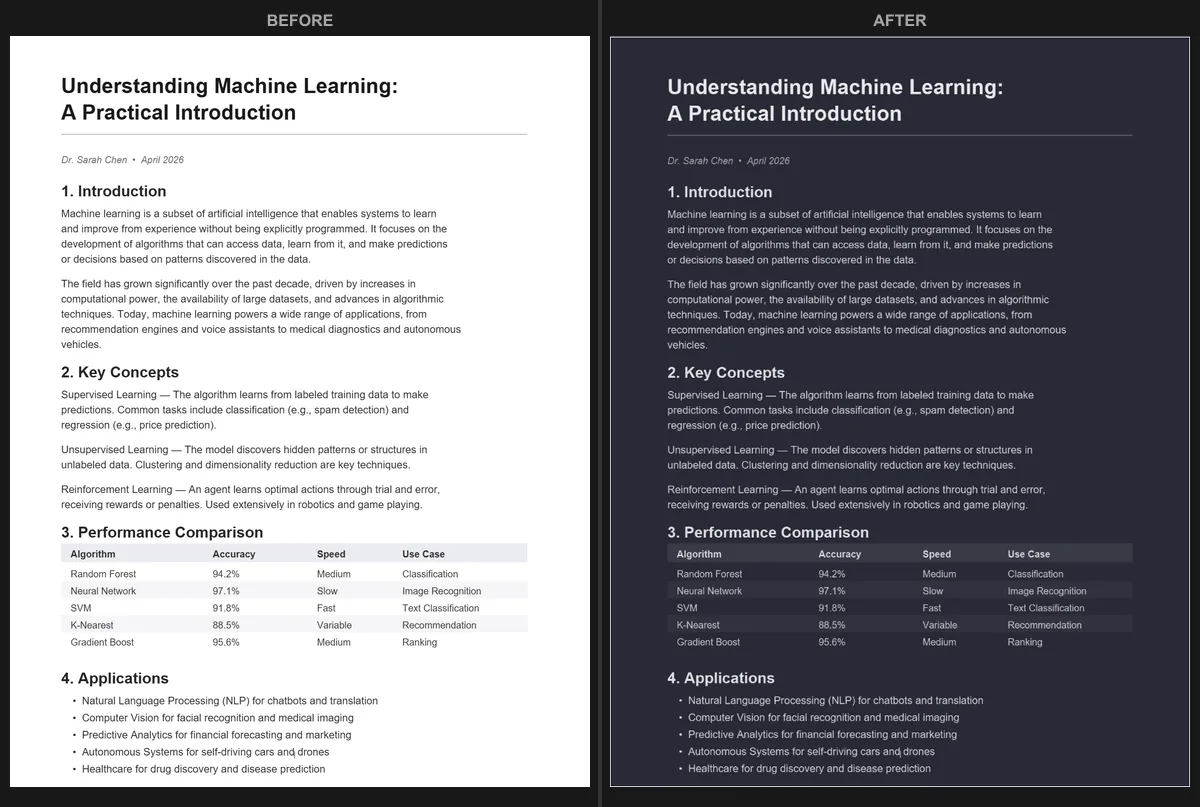
The fastest way to read a PDF in dark mode on Firefox is to convert it. Open the PDF Dark Mode Converter, upload your file, and pick from 16+ themes like Dracula, Nord, or Solarized. The converted PDF downloads automatically and looks dark in any viewer you open it with.
The converter runs entirely in your browser. Your file is not uploaded to any server, and the conversion typically finishes in a few seconds even for longer documents.
Can Firefox's about:config help?
Some guides suggest tweaking about:config settings to force dark colors on web content. While this can affect some web pages, it does not reliably change how PDFs render in Firefox's viewer. The PDF viewer draws pages onto a canvas, which most dark mode hacks cannot modify.
Even when a config tweak partially works, the result is often inconsistent. Images, charts, and colored text can look strange when forced into a dark scheme.
What about Firefox extensions?
Dark mode extensions designed for web browsing (like Dark Reader) generally do not affect the PDF viewer in Firefox. The viewer uses a separate rendering pipeline that extensions cannot easily hook into.
There are a few PDF-specific extensions available, but they tend to require broad permissions and offer limited theme options. Converting the file directly gives you more control over the look and guarantees consistent results.
Why converting is the better approach
- The dark background is baked into the PDF, so it looks the same everywhere.
- You get to choose exactly which shade of dark you want from 16+ themes.
- You can adjust resolution and quality to match your needs.
- Text remains searchable and selectable in the converted file.
The same conversion approach works in every browser. If you use Chrome instead, check our Chrome dark mode guide. Edge users will find additional options in the Microsoft Edge guide.
Try it now: Open the PDF Dark Mode Converter in Firefox, drop your PDF, and download a dark version in seconds. Free, private, no extensions needed.
Frequently Asked Questions
No, Firefox's built-in PDF viewer does not have a dark mode option. PDFs display with their original colors regardless of your Firefox theme.
Dark Reader generally does not affect PDFs in Firefox because the PDF viewer uses a separate rendering pipeline that extensions cannot easily modify.
Use the PDF Dark Mode Converter in Firefox to convert your PDF. The converted file downloads with dark colors baked in and works in any viewer.