Convert PDF to Dark Mode Online: Free and Instant
If you spend a lot of time reading PDFs, a dark background can make a noticeable difference. Bright white pages are hard on the eyes, especially during long study sessions or late-night reading. The good news is that you can convert any PDF to dark mode directly in your browser, for free, without uploading your file to a server.
How it works
Open the PDF Dark Mode Converter, drop your PDF onto the page (or click the upload button), pick a theme, and the converted file downloads automatically. The whole process takes a few seconds for most documents.
There is nothing to install and no account to create. The conversion runs entirely on your device using your browser and GPU, so your file stays private.
Pick from 16+ themes
Most online PDF dark mode tools give you three or four color options. This converter includes over 16 carefully chosen themes:
- Dracula, Nord, Solarized, Monokai, Tokyo Night and other popular developer themes
- Classic Inversion for a simple black background
- Sepia, Forest Green, Midnight Blue for softer looks
- A Custom option where you can enter any hex color
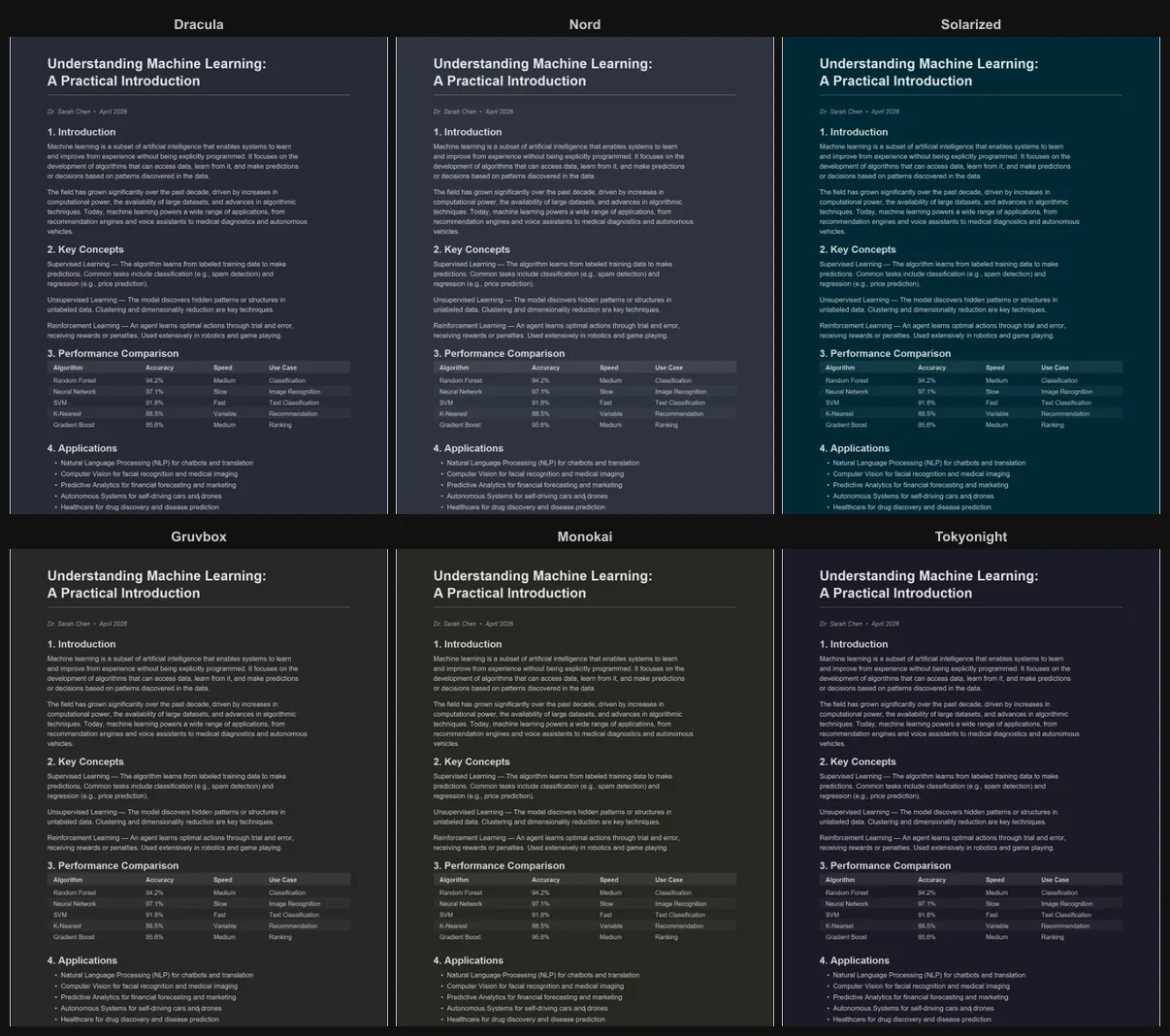
You can also toggle between dark and light output. If you want a tinted light background instead of a dark one, the custom color picker supports that too.
Adjust quality and resolution
Under Advanced Settings you will find two sliders:
- Resolution (0.5x to 4x): higher values produce sharper pages, lower values keep the file smaller
- JPEG quality (50% to 100%): controls the compression level of each page
The defaults work well for everyday documents. If you are converting a textbook with fine print, bumping the resolution to 4x gives you crisp output.

Selectable text in the output
The converted PDF includes a hidden text layer underneath the page images. This means you can still select, copy, and search text in the output file, just like in a regular PDF. It works in every major PDF reader without any extra steps. For a deeper look at how this works and why most other tools break it, see Selectable Text in Dark Mode PDFs.

Why not just use a browser extension?
Browser dark mode extensions are designed for web pages. They often struggle with PDFs because PDF viewers render content differently (usually on a canvas element). The result is inconsistent: some pages look fine, others have inverted images or broken colors.
A dedicated converter applies the color transform to each page individually and produces a standard PDF file that looks the same everywhere you open it.
For platform-specific tips, see our guides for Chrome, Windows, Android, and iPad.
Ready to try it? Open the PDF Dark Mode Converter and convert your first PDF in seconds. Free, private, no sign-up.
Frequently Asked Questions
The conversion runs entirely on your device using your browser and GPU. Your PDF is never uploaded to any server.
No, the text content stays the same. The converter only changes the colors of the background and text while preserving searchable and selectable text.
Yes, the converter offers 16+ themes including Dracula, Nord, Solarized, Monokai, and a custom color picker for any shade you want.